'/%3e%3cpath%20d='M59.9558%200H51.6287C51.6287%200%2045.5566%2034.1414%2045.7996%2039.9704C48.4659%20103.923%20122.41%2090.4886%20159.049%2075.7773L159.882%2071.6137C72.4464%20100.759%2053.2939%2059.9557%2054.1268%2039.9704C54.7163%2025.8265%2059.9558%200%2059.9558%200Z'%20fill='url(%23paint1_linear_658_5274)'/%3e%3cpath%20d='M180.7%2050.7959L180.845%2049.8037C184.282%2054.4129%20189.53%2057.458%20195.688%2057.458C206.726%2057.458%20217.339%2046.0121%20217.339%2034.9746C217.339%2023.9371%20211.722%2015.8223%20200.685%2015.8223C195.356%2015.8223%20189.544%2018.1027%20184.957%2021.7031L185.696%2016.6543H177.369L168.209%2075.7773H176.536L180.7%2050.7959ZM194.023%2049.9629C183.198%2049.1302%20183.198%2041.6353%20183.198%2037.4717C183.198%2028.3123%20190.455%2023.3157%20197.354%2023.3154C204.252%2023.3154%20208.18%2027.6155%20208.18%2034.9736C208.18%2044.1334%20200.922%2049.9627%20194.023%2049.9629Z'%20fill='%23FBFBFB'/%3e%3cpath%20d='M221.503%2050.7954C226.722%2063.8433%20244.819%2055.7917%20248.982%2050.7954C247.65%2056.7908%20255.088%2057.1796%20258.974%2056.6245L259.807%2049.1304C258.697%2049.1304%20256.476%2048.6308%20256.476%2046.6323C256.476%2044.1342%20260.451%2031.2297%20258.974%2025.814C253.978%207.49469%20228.164%2015.8221%20225.666%2024.9819L231.495%2028.312C242.32%2016.6545%20253.146%2024.9814%20249.815%2031.6431C239.823%2029.1449%20214.842%2034.1413%20221.503%2050.7954ZM248.982%2038.3052C250.648%2045.7997%20233.994%2056.6248%20229.83%2046.6323C227.054%2039.9706%20241.488%2037.4725%20248.982%2038.3052Z'%20fill='%23FBFBFB'/%3e%3cdefs%3e%3clinearGradient%20id='paint0_linear_658_5274'%20x1='333.92'%20y1='70.601'%20x2='188.194'%20y2='70.601'%20gradientUnits='userSpaceOnUse'%3e%3cstop%20stop-color='%23EB5455'/%3e%3cstop%20offset='0.0001'%20stop-color='%23EF733E'/%3e%3cstop%20offset='1'%20stop-color='%23FFD461'/%3e%3c/linearGradient%3e%3clinearGradient%20id='paint1_linear_658_5274'%20x1='139.897'%20y1='83.2717'%20x2='53.2939'%20y2='3.33085'%20gradientUnits='userSpaceOnUse'%3e%3cstop%20stop-color='%23FFD461'/%3e%3cstop%20offset='0.9999'%20stop-color='%23EF733E'/%3e%3c/linearGradient%3e%3c/defs%3e%3c/svg%3e)


Is Automated Dropshipping Possible? How Can I Do It?
FlowpalletAurora ShawJun. 12, 2026

Maybe you wonder how to start a dropshipping business, or found your whole dropshipping process is so troublesome, why not consider automated dropshipping?
The manual work during dropshipping can quickly stack up - adding products, updating prices, forwarding orders, packaging items, checking tracking numbers, and handling customer messages. Automation changes that. By automating the repetitive parts, you free up time to focus on marketing, product testing, and growth.
Automated dropshipping has become one of the easiest ways for new and experienced sellers to scale without hiring a team. Here's how automated dropshipping works and how you can set up a fully automated workflow.
Part 1: What is automated dropshipping & how does it work?
Automated dropshipping is the process of using a platform/software/tool to handle tasks that would normally require manual effort. Instead of manually exporting orders or updating deliveries, automation tools sync everything in real time.
At its core, automated dropshipping connects your online store and your suppliers into one seamless system—so information flows without you having to touch it.
Here's a closer look at what gets automated:
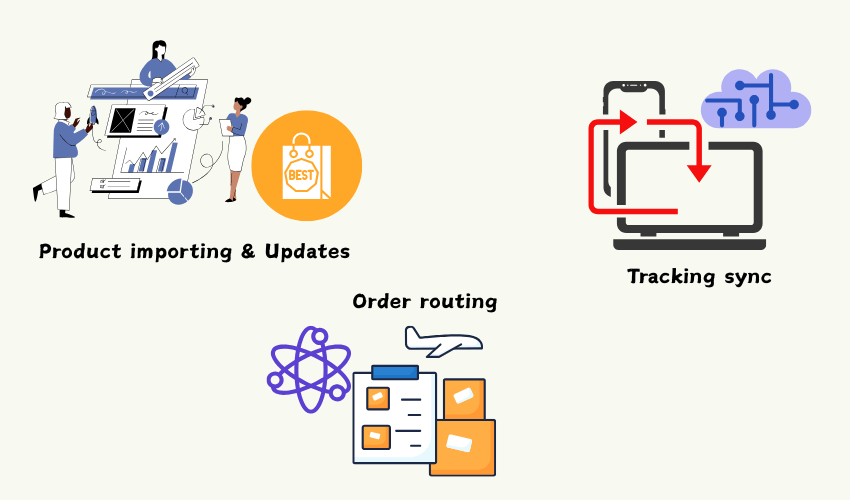
✔Product importing & updates
With an automation platform, you can import products to your store directly with one click. Whenever suppliers change prices or inventory, the system updates your listings instantly—preventing overselling or margin loss.
✔Order routing
When a customer places an order, an automated system immediately: Captures the order > Sends it to the correct supplier > Handles payment to the supplier > Confirms and fulfills the order.
This eliminates manual forwarding, which can easily lead to delays or mistakes.
✔Tracking sync
Once the supplier ships the item, the system automatically:
- Uploads the tracking number to your store
- Notifies the customer
- Updates the delivery status
You don't need to chase suppliers for tracking codes anymore.
Without automation, running a dropshipping store can feel like a full-time job.
With it, you can manage dozens—or even hundreds—of products while spending only a fraction of the time. Let's start automated dropshipping in detail.
Part 2: How to do automated dropshipping
Below, you'll learn the practical steps to set up dropshipping automation the right way:
1. Filter markets and products
Before you automate anything, you need to decide what you want to sell. Automation tools won't fix bad product choices. Start by exploring different markets and looking for:
- Steady demand rather than short-lived fads
- Products with predictable shipping and quality
- Niches where customers buy repeatedly
Look at search trends, social media posts, and competitors. This doesn't need to be complicated—usually, the best decisions come from observing what people genuinely care about.
2. Build an online store
Your online store is the "home base" of everything you automate. Choose a platform that works well with automation tools—Shopify and WooCommerce are the most popular. When setting up your store:
- Keep the layout clean and mobile-friendly
- Write clear, benefit-driven product descriptions
- Add photos that actually show the product
- Make shipping and refund policies easy to find
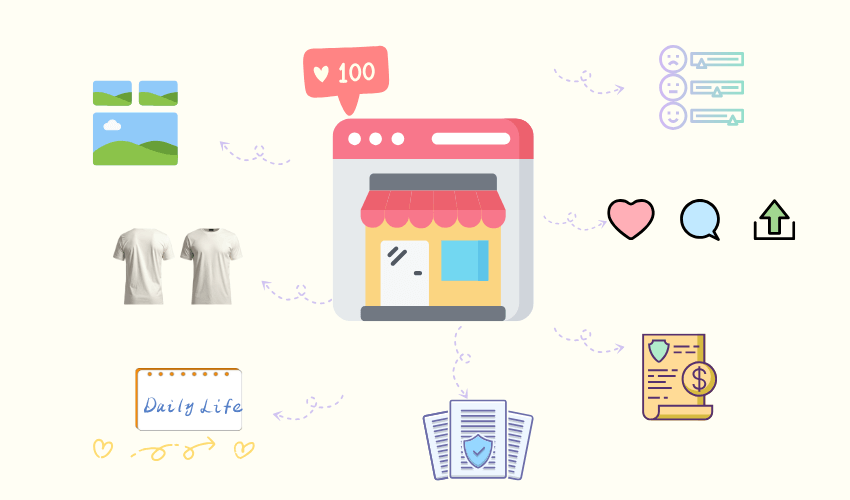
Think of it this way: automation saves time on the back end, but a clean store saves you time on customer questions and issues.
3. Select automation tools & software
This is where the magic happens. Automation tools take over the tasks that normally eat up your day:
- Product importing
- Automatic order routing
- Updating prices at any time
- Tracking number sync
- Bulk product management
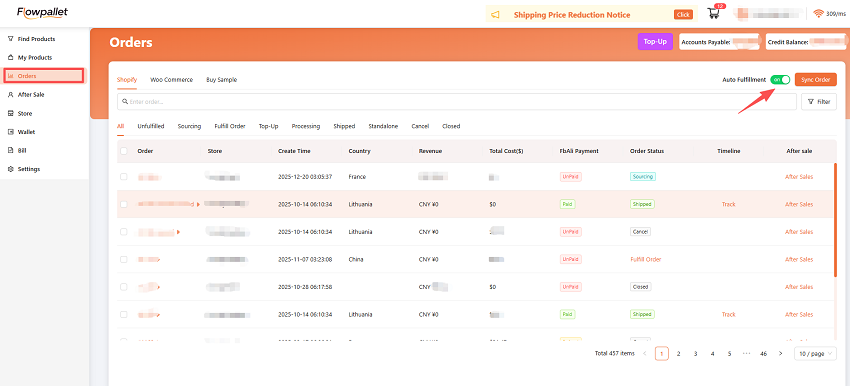
Platforms like Flowpallet further streamline the workflow by helping sellers source products, import products directly, and organize orders automatically—making the transition to automation much smoother. It offers a dashboard where you can view:
- Products(discovering, editing, importing, and sourcing them)
- Orders (status, shipping status, after-sales details…)
- Product performance(paid and processing status)
- Margins and costs
- Supplier issues(soucring, sourced)
- Store(different stores' orders)
This helps you run the entire operation like a professional eCommerce business, even if you're working solo.
4. Find a reliable dropshipping supplier
Automation dropshipping only works well if the suppliers behind it are reliable. Look for suppliers that offer:
- Consistent product updates
- Stable and cost-effective pricing
- Reasonable handling times
- API or system connections
- Real tracking numbers
Before going all-in, order a few samples. Hold the product, test the packaging, and check shipping performance. A single bad supplier can break your automated flow, so this step is worth the extra attention. Also, Flowpallet is a trusted dropshipping supplier.
5. Auto fulfill orders
Once your system is connected, orders should flow from your store to your supplier automatically. A typical automated setup includes:
- Auto-forwarding new orders to the supplier
- Auto-importing tracking numbers
- Auto-updating shipping information
You're basically letting software do the work you'd normally do manually. For high-traffic stores, this is the difference between working two hours a day and working twelve.
Still, check your dashboard daily - automation is powerful, but it's not immune to supplier issues or payment failures. Consider Flowpallet~
6. Monitor Performance & Optimize
Automation doesn't mean "set it and forget it." You still need to track performance and make adjustments. Remember to focus on:
- Best-selling products
- Price changes and margin protection
- Abandoned cart trends
- Delivery times and customer complaints
- Supplier performance
- Ad performance
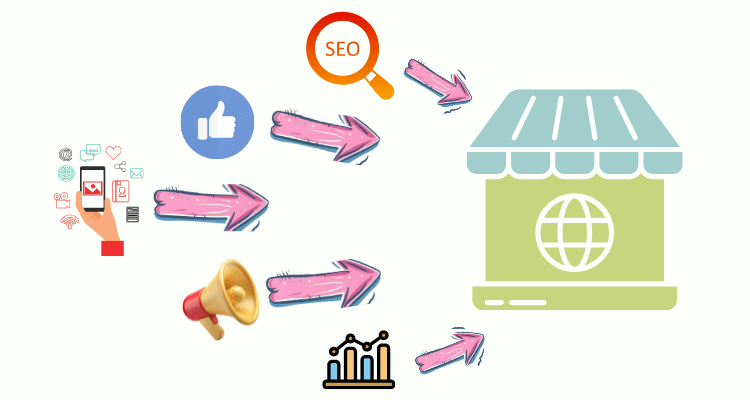
Use the data to refine your product list. Cut items that cause problems. Add new products only when your current workflow of auto dropshipping is smooth.
Part 3: Bonus: Start small, automate big
A common mistake is trying to automate hundreds of products from day one. It's better to start with a small catalog, refine your processes, and expand once everything runs smoothly.
Begin with a handful of well-researched products, automate the core tasks (order routing, tracking sync, sourcing items), and scale gradually. As your workflow becomes stable, you can start adding more products, suppliers, and automation rules—turning your store into a system that runs with minimal hands-on effort.
Small beginnings create stable systems. Stable systems scale effortlessly.
