'/%3e%3cpath%20d='M59.9558%200H51.6287C51.6287%200%2045.5566%2034.1414%2045.7996%2039.9704C48.4659%20103.923%20122.41%2090.4886%20159.049%2075.7773L159.882%2071.6137C72.4464%20100.759%2053.2939%2059.9557%2054.1268%2039.9704C54.7163%2025.8265%2059.9558%200%2059.9558%200Z'%20fill='url(%23paint1_linear_658_5274)'/%3e%3cpath%20d='M180.7%2050.7959L180.845%2049.8037C184.282%2054.4129%20189.53%2057.458%20195.688%2057.458C206.726%2057.458%20217.339%2046.0121%20217.339%2034.9746C217.339%2023.9371%20211.722%2015.8223%20200.685%2015.8223C195.356%2015.8223%20189.544%2018.1027%20184.957%2021.7031L185.696%2016.6543H177.369L168.209%2075.7773H176.536L180.7%2050.7959ZM194.023%2049.9629C183.198%2049.1302%20183.198%2041.6353%20183.198%2037.4717C183.198%2028.3123%20190.455%2023.3157%20197.354%2023.3154C204.252%2023.3154%20208.18%2027.6155%20208.18%2034.9736C208.18%2044.1334%20200.922%2049.9627%20194.023%2049.9629Z'%20fill='%23FBFBFB'/%3e%3cpath%20d='M221.503%2050.7954C226.722%2063.8433%20244.819%2055.7917%20248.982%2050.7954C247.65%2056.7908%20255.088%2057.1796%20258.974%2056.6245L259.807%2049.1304C258.697%2049.1304%20256.476%2048.6308%20256.476%2046.6323C256.476%2044.1342%20260.451%2031.2297%20258.974%2025.814C253.978%207.49469%20228.164%2015.8221%20225.666%2024.9819L231.495%2028.312C242.32%2016.6545%20253.146%2024.9814%20249.815%2031.6431C239.823%2029.1449%20214.842%2034.1413%20221.503%2050.7954ZM248.982%2038.3052C250.648%2045.7997%20233.994%2056.6248%20229.83%2046.6323C227.054%2039.9706%20241.488%2037.4725%20248.982%2038.3052Z'%20fill='%23FBFBFB'/%3e%3cdefs%3e%3clinearGradient%20id='paint0_linear_658_5274'%20x1='333.92'%20y1='70.601'%20x2='188.194'%20y2='70.601'%20gradientUnits='userSpaceOnUse'%3e%3cstop%20stop-color='%23EB5455'/%3e%3cstop%20offset='0.0001'%20stop-color='%23EF733E'/%3e%3cstop%20offset='1'%20stop-color='%23FFD461'/%3e%3c/linearGradient%3e%3clinearGradient%20id='paint1_linear_658_5274'%20x1='139.897'%20y1='83.2717'%20x2='53.2939'%20y2='3.33085'%20gradientUnits='userSpaceOnUse'%3e%3cstop%20stop-color='%23FFD461'/%3e%3cstop%20offset='0.9999'%20stop-color='%23EF733E'/%3e%3c/linearGradient%3e%3c/defs%3e%3c/svg%3e)


How to Best Automate Your WooCommerce Store?
FlowpalletAurora ShawAug. 29, 2026

Are you running a WooCommerce Store? Running a WooCommerce store sounds exciting at first, until the daily tasks start piling up. Processing orders, updating inventory, replying to customers, sending emails, and tracking shipments can quickly become overwhelming.
Looking for reliable tools to automate the workflows between WooCommerce. Any automation recommendations? -reddit.com
Tired of doing the same tasks over and over? WooCommerce automation tools can take care of them for you, quietly running in the background while you focus on what matters. Things like sending abandoned cart reminders or keeping your inventory in sync happen automatically, saving you time, cutting down on mistakes, and making the whole shopping experience feel smoother for your customers.
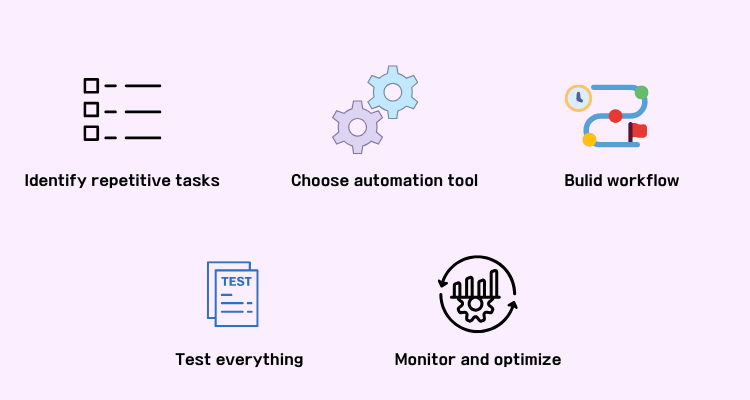
It doesn't matter if you're running a small online store or a large dropshipping operation - automating WooCommerce means less manual work, faster processes, and a business that's much easier to grow. The full steps:
- Identify repetitive tasks
- Choose and filter the right automation tools
- Build simple workflows first
- Test everything carefully
- Monitor and optimize your store
1. What is WooCommerce automation?
WooCommerce automation refers to using software, plugins, platforms, and workflows to automatically perform repetitive e-commerce tasks without manual effort.
Instead of manually handling every step of the process, let automation tools do the work for you. They can automatically trigger corresponding actions based on customer behavior or store dynamics, such as:
- Automatically sending order confirmation emails
- Real-time inventory synchronization
- Retrieving unfinished shopping carts
- Forwarding orders to dropshipping platforms
- Instantly generating shipping labels
The core goal is simple: reduce human intervention while improving operational efficiency and the shopping experience.
For example, imagine receiving 50 orders in one day. Manually processing every order, updating tracking numbers, and sending customer emails could take hours. With WooCommerce automation, most of those steps happen automatically.
Automation is especially valuable for growing e-commerce businesses because it allows store owners to focus on marketing, product development, and customer relationships instead of repetitive admin work.
2. Key benefits and types of WooCommerce automation
WooCommerce automation is not just about saving time. It can improve almost every part of your business operations. Here are the most important types of automation and how they help e-commerce stores grow.
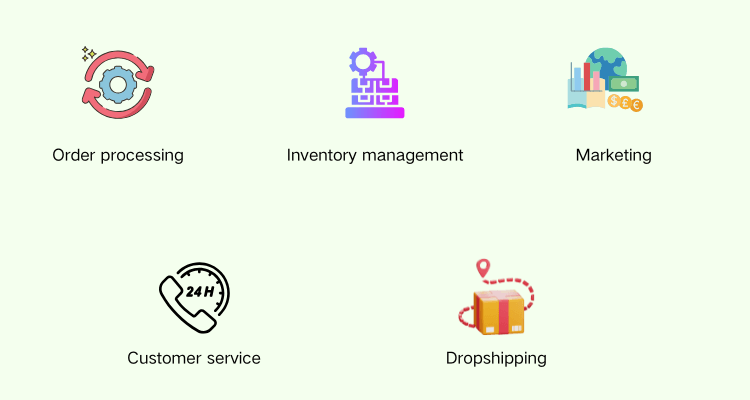
1️⃣Order processing automation
Order management is usually the first thing store owners look to automate, and for good reason.
Instead of manually confirming orders or chasing down updates, WooCommerce automation tools can take over the entire workflow without you lifting a finger. That includes:
- Automatic order confirmation emails
- Invoice and receipt generation
- Shipping notifications
- Tracking number updates
- Order status sync across your store
The result? Fewer delays, fewer mistakes, especially when orders are flooding in during a big sale.
2️⃣Inventory management automation
Nothing frustrates customers more than buying an out-of-stock product. Inventory automation helps prevent overselling by syncing stock levels in real time across your store and suppliers. Features often include:
- Automatic stock updates
- Low inventory alerts
- Multi-channel inventory syncing
- Supplier stock synchronization
- Real-time pricing updates
This is particularly important for WooCommerce dropshipping stores where supplier inventory changes frequently.
3️⃣Marketing automation
This type lets your store engage customers on autopilot, with no need to manually launch campaigns every time. With the right workflows in place, WooCommerce can automatically reach out to shoppers based on their behavior, including:
- Abandoned cart recovery emails
- Welcome email sequences
- Personalized product recommendations
- Discount campaigns
- Customer segmentation
- SMS and push notifications
For instance, if someone leaves items in their cart without checking out, an automated email can nudge them to come back and complete the purchase, no manual follow-up needed.
4️⃣Customer service automation
As your customer base grows, replying to every message manually becomes difficult.
Customer service automation helps businesses provide faster support without hiring a large support team. Examples include:
- AI chatbots
- Automated FAQ responses
- Help desk ticket routing
- Self-service tracking portals
- Automatic return request handling
Automation doesn't completely replace human support, but it reduces repetitive questions and improves response times.
5️⃣Dropshipping automation
Dropshipping runs automatically because the moment you try to manage various suppliers manually at scale, things fall apart fast with the automation tool.
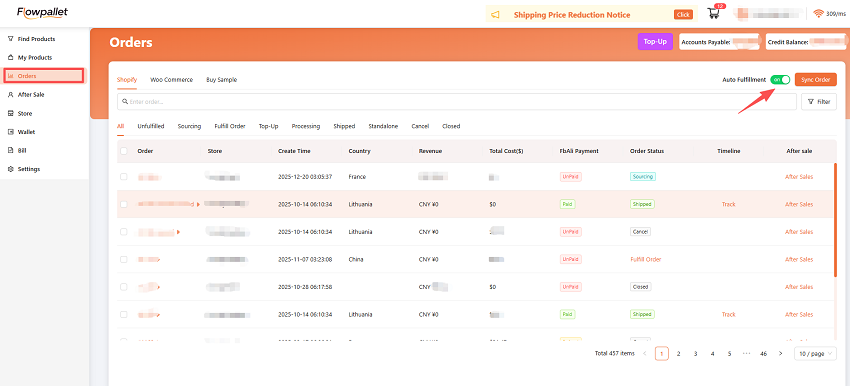
WooCommerce dropshipping automation tools like Flowpallet take the chaos out of the equation by handling product sourcing, inventory syncing, order fulfillment, and branding options for you. The core features you'll typically find include:
- Automatic product imports
- Supplier inventory synchronization
- Auto-forwarding orders
- Price, images, and descriptions syncing
- Tracking number updates
- Bulk product editing
- Daily integrated store revenue dashboard
- 3PL logistics, if you need
Without these in place, it's easy to end up with delayed shipments, oversold products, and stock information that's always one step behind. None of that is good for customer trust.
That's exactly why most successful WooCommerce dropshipping businesses don't treat automation as optional; it's the backbone that lets them scale without everything breaking down.
3. Best WooCommerce automation tools
There are many WooCommerce automation tools available, but the best choice depends on your business model and goals. Here are some of the most popular options for you:
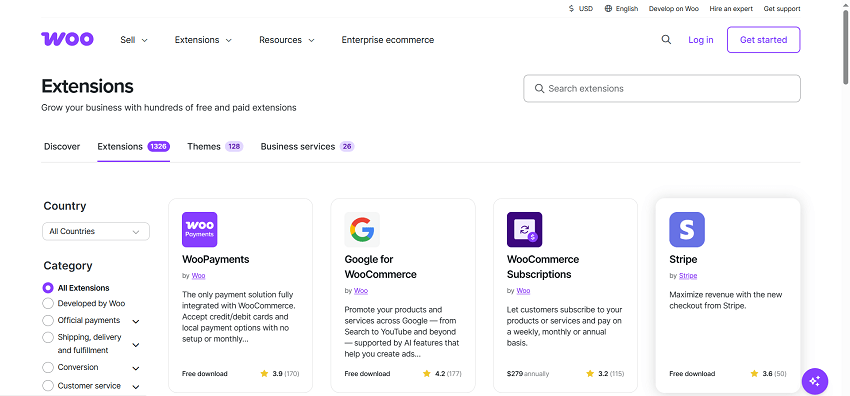
WooCommerce extensions
Official WooCommerce extensions provide built-in automation features for payments, shipping, subscriptions, taxes, and email workflows.
They're often the easiest starting point for beginners because they integrate directly with WooCommerce.
Zapier
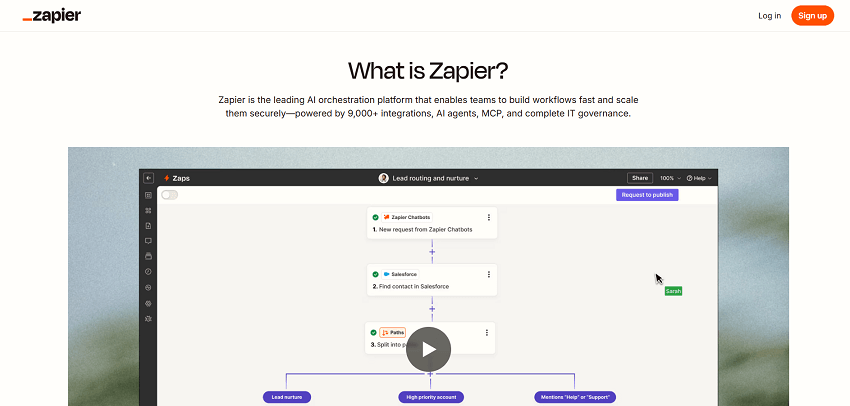
Zapier connects WooCommerce with thousands of apps without coding. You can create automated workflows between WooCommerce and tools like:
- Google Sheets
- Slack
- Mailchimp
- HubSpot
- Trello
For example, every new order can automatically create a spreadsheet entry or notify your team in Slack.
Mailchimp
Mailchimp is widely used for WooCommerce email marketing automation. It helps automate:
- Welcome emails
- Product recommendations
- Cart recovery campaigns
- Customer follow-ups
It's especially useful for stores focused on customer retention and repeat purchases.

HubSpot
HubSpot combines CRM and marketing automation in one platform. WooCommerce store owners often use it for:
- Customer segmentation
- Lead tracking
- Automated email campaigns
- Sales pipeline management
It works well for brands building long-term customer relationships.

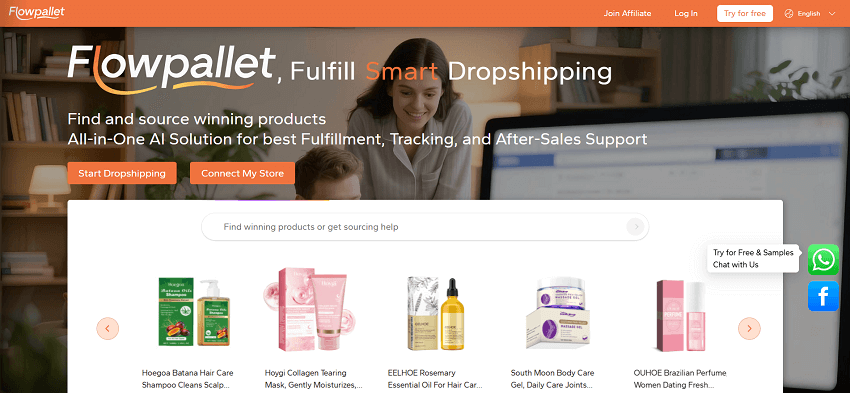
Flowpallet
Flowpallet is a dropshipping platform designed to simplify e-commerce operations and automation workflows for online sellers.
It helps streamline order fulfillment, product management (sourcing, editing, pricing, and importing), and dropshipping-related processes while reducing repetitive manual work.
For WooCommerce dropshipping store owners, Flowpallet is particularly useful when managing large product catalogs or scaling dropshipping operations. Rather than switching between multiple tools, sellers can bring their key workflows into one place and run their store more efficiently.
Log in now and have $10 for the first order~
4. How to automate your WooCommerce store
Starting with WooCommerce automation doesn't have to feel overwhelming. You don't need to automate every part of your business overnight. The key is to focus on tasks that take up the most time or create the most manual work. Once those processes are automated, running your store becomes much more efficient.
Step 1: Identify repetitive tasks
Start by figuring out which tasks are eating up your time. Look at what you or your team do over and over each day. These are your best automation opportunities - they take up time but don't directly help your business grow. Common examples include:
- Sending order confirmation emails
- Updating inventory levels
- Answering common customer questions
- Tracking shipments
- Recovering abandoned carts
- Importing products from suppliers
- Updating pricing information
For instance, if you manually send tracking numbers after every order, that's something you can easily hand off to automation.
Step 2: Choose the right automation tools
Now that you know what to automate, it's time to find tools that actually fit your store.
There's no one-size-fits-all solution for WooCommerce businesses. The right tools depend on your store size, budget, and how you operate. For example:
- Small stores may only need a couple of WooCommerce plugins
- Dropshipping businesses often need tools like Flowpallet that sync inventory
- Larger brands may need advanced CRM and marketing automation platforms
(You can read the last part above.)
One thing to avoid: installing too many plugins at once. Too many disconnected tools can slow your site down and cause workflow conflicts.
Step 3: Build simple workflows first
A common mistake is trying to automate everything all at once. A smarter approach is starting small - focus on quick wins that are easy to set up and manage. Good starter automations include:
- Welcome emails for new customers
- Abandoned cart recovery emails
- Automatic invoice generation
- Shipping confirmation notifications
- Low-stock alerts
Once you're comfortable, you can layer in more advanced automations like: personalized product recommendations, customer segmentation, supplier order forwarding, multi-channel inventory syncing…
Step 4: Test everything carefully
Automation saves time, but a misconfigured workflow can cause serious headaches.
Before going live with any automation, test every step thoroughly to make sure it's working as expected. Key things to check:
- Email triggers and formatting
- Inventory syncing accuracy
- Shipping updates
- Supplier integrations
- Payment confirmations
- Order routing workflows
For example, if your stock syncing tool makes an error, customers could end up ordering items that are out of stock.
Step 5: Monitor and optimize your automation
Automation isn't something you set up once and forget about. As your store grows, your workflows need to grow with it. Make it a habit to regularly review:
- Email open rates
- Cart recovery performance
- Order fulfillment speed
- Customer support response times
- Inventory accuracy
- Conversion rates
If your abandoned cart emails aren't converting, for example, it might be time to tweak the messaging or adjust the timing.
The best automation systems evolve alongside your business. Over time, well-optimized workflows can cut operating costs, boost efficiency, and deliver a smoother experience for every customer who shops at your store.
5. Is WooCommerce automation worth it?
WooCommerce automation saves time, reduces manual errors, and helps stores scale more efficiently. Instead of spending hours on repetitive admin work, store owners can focus on growth, branding, and customer experience.
Automation is especially valuable for:
- Growing ecommerce brands
- High-order-volume stores
- WooCommerce dropshipping businesses
- Small teams with limited staff
Of course, automation tools may require some setup time and monthly costs. But in many cases, the long-term efficiency gains outweigh the investment.
Even automating a few simple tasks can make running a WooCommerce store significantly easier.
As e-commerce competition continues to grow, automation is becoming less of a luxury and more of a necessity for online businesses that want to scale successfully. Hope that you can find the right WooCommerce automation~
