'/%3e%3cpath%20d='M59.9558%200H51.6287C51.6287%200%2045.5566%2034.1414%2045.7996%2039.9704C48.4659%20103.923%20122.41%2090.4886%20159.049%2075.7773L159.882%2071.6137C72.4464%20100.759%2053.2939%2059.9557%2054.1268%2039.9704C54.7163%2025.8265%2059.9558%200%2059.9558%200Z'%20fill='url(%23paint1_linear_658_5274)'/%3e%3cpath%20d='M180.7%2050.7959L180.845%2049.8037C184.282%2054.4129%20189.53%2057.458%20195.688%2057.458C206.726%2057.458%20217.339%2046.0121%20217.339%2034.9746C217.339%2023.9371%20211.722%2015.8223%20200.685%2015.8223C195.356%2015.8223%20189.544%2018.1027%20184.957%2021.7031L185.696%2016.6543H177.369L168.209%2075.7773H176.536L180.7%2050.7959ZM194.023%2049.9629C183.198%2049.1302%20183.198%2041.6353%20183.198%2037.4717C183.198%2028.3123%20190.455%2023.3157%20197.354%2023.3154C204.252%2023.3154%20208.18%2027.6155%20208.18%2034.9736C208.18%2044.1334%20200.922%2049.9627%20194.023%2049.9629Z'%20fill='%23FBFBFB'/%3e%3cpath%20d='M221.503%2050.7954C226.722%2063.8433%20244.819%2055.7917%20248.982%2050.7954C247.65%2056.7908%20255.088%2057.1796%20258.974%2056.6245L259.807%2049.1304C258.697%2049.1304%20256.476%2048.6308%20256.476%2046.6323C256.476%2044.1342%20260.451%2031.2297%20258.974%2025.814C253.978%207.49469%20228.164%2015.8221%20225.666%2024.9819L231.495%2028.312C242.32%2016.6545%20253.146%2024.9814%20249.815%2031.6431C239.823%2029.1449%20214.842%2034.1413%20221.503%2050.7954ZM248.982%2038.3052C250.648%2045.7997%20233.994%2056.6248%20229.83%2046.6323C227.054%2039.9706%20241.488%2037.4725%20248.982%2038.3052Z'%20fill='%23FBFBFB'/%3e%3cdefs%3e%3clinearGradient%20id='paint0_linear_658_5274'%20x1='333.92'%20y1='70.601'%20x2='188.194'%20y2='70.601'%20gradientUnits='userSpaceOnUse'%3e%3cstop%20stop-color='%23EB5455'/%3e%3cstop%20offset='0.0001'%20stop-color='%23EF733E'/%3e%3cstop%20offset='1'%20stop-color='%23FFD461'/%3e%3c/linearGradient%3e%3clinearGradient%20id='paint1_linear_658_5274'%20x1='139.897'%20y1='83.2717'%20x2='53.2939'%20y2='3.33085'%20gradientUnits='userSpaceOnUse'%3e%3cstop%20stop-color='%23FFD461'/%3e%3cstop%20offset='0.9999'%20stop-color='%23EF733E'/%3e%3c/linearGradient%3e%3c/defs%3e%3c/svg%3e)


How to Sell on Shopify for Beginners | All You Need
FlowpalletAurora ShawSep. 29, 2026

If you want to start an online business or online dropshipping business without dealing with complex coding or technical setup, Shopify is one of the easiest ways to get started. Sometimes, you probably see questions like:
I wanna know where to begin when selling on Shopify. Any tips for choosing a niche or managing my store? -reddit.com
How to start making the first sales on Shopify? Is Shopify worth it? -reddit.com
Shopify is an all-in-one e-commerce platform that lets you create, run, and scale an online store without needing technical skills. To sell on Shopify, just follow:
- Create your Shopify account
- Set up your online store
- Add products to your store
- Set up payments and checkout
- Choose a fulfillment method
- Market, optimize, and scale your store
Before selling on Shopify
Before jumping into setup, it's important to build a strong foundation. Skipping this step is one of the main reasons new sellers fail.
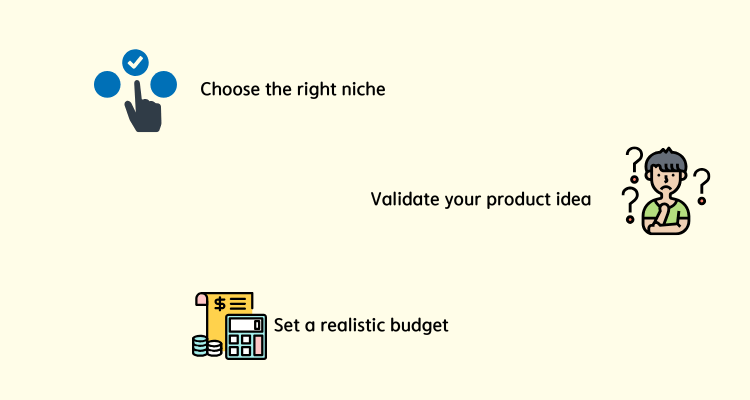
Preparation 1: Choose the right niche
Focus on a specific audience instead of trying to sell everything. A clear niche helps with branding, marketing, and product selection.
Preparation 2: Validate your product idea
Ask yourself: Is there real demand? Are people already buying similar products? Can you offer something better or different?
You can use tools like Google Trends or competitor research to confirm demand.
Preparation 3: Set a realistic budget
Even though Shopify is beginner-friendly, you'll still need to cover:
- Subscription fees
- Marketing costs (ads, influencers)
- Apps or tools
Planning ahead helps you avoid unnecessary spending.
Then let's move to the detailed steps on how to sell on Shopify.
How to sell on Shopify for beginners
Once your foundation is ready, the next step is turning your idea into a real, working store. Let's break it down properly.
Step 1: Create your Shopify account
Start by signing up on Shopify and choosing a plan that fits your budget. Don't overthink this part- most beginners start with the basic plan and upgrade later. When creating your store:
- Choose a clean, brandable store name (avoid long or generic names)
- Set your store currency, location, and contact details
- Enable basic settings like taxes and shipping regions early on
Step 2: Set up your online store
This is where your store starts to feel like a real brand instead of a template.
Choose a theme that matches your niche; clean and minimal designs usually perform better than flashy ones. Then customize:
- Homepage layout (highlight your main product or offer)
- Navigation menu (keep it simple and intuitive)
- Branding elements (logo, colors, fonts)
Also, don't skip essential pages: About Us (build trust), Contact Page, and Shipping & Returns.
Step 3: Add products to your store
Adding products isn't just about uploading images; it's about convincing someone to buy.
For each product, focus on:
- High-quality visuals (multiple angles, lifestyle images if possible)
- Benefit-driven descriptions (what problem does it solve?)
- Clear pricing strategy (compare prices, discounts, bundles)
Instead of copying supplier descriptions, rewrite them in a way that speaks directly to your audience.
Step 4: Set up payments and checkout
If your checkout process feels complicated or untrustworthy, customers will leave - even if they like your product. Please set up Shopify payments (for card payments and additional methods (PayPal, Apple Pay, etc.)
Then optimize the checkout experience:
- Keep it fast and simple
- Avoid unnecessary steps
- Be transparent about shipping costs and delivery times
Also, make sure your store displays trust signals like secure payment icons and clear policies.
Step 5: Choose a fulfillment method
How you deliver your product is just as important as how you sell it. You have a few options:
- Dropshipping (no inventory, supplier ships directly)
- Print-on-demand (custom products like t-shirts)
- Bulk inventory (buy and ship yourself or via a warehouse)
Each has pros and cons, but beginners often start with dropshipping because of the low upfront cost.
Step 6: Market, optimize, and scale your store
Launching your store is just the beginning. The real work is getting traffic and turning visitors into customers. Start with a few focused channels:
- Short-form content (TikTok, Instagram Reels)
- Paid ads for faster testing
- Influencer collaborations in your niche
Then continuously optimize:
- Test different product pages
- Improve headlines and images
- Analyze conversion rates and user behavior
Once you find a product that works, scale it: Increase ad budget gradually, add upsells or bundles, and expand to new audiences.
How to dropship on Shopify
Dropshipping is one of the most popular ways to sell on Shopify because you don't need to hold inventory. Instead, you sell products, and a supplier ships them directly to your customers.
- You list products in your store
- A customer places an order
- The supplier fulfills and ships the order
This makes it a low-risk business model, especially for beginners.
Steps to start dropshipping on Shopify
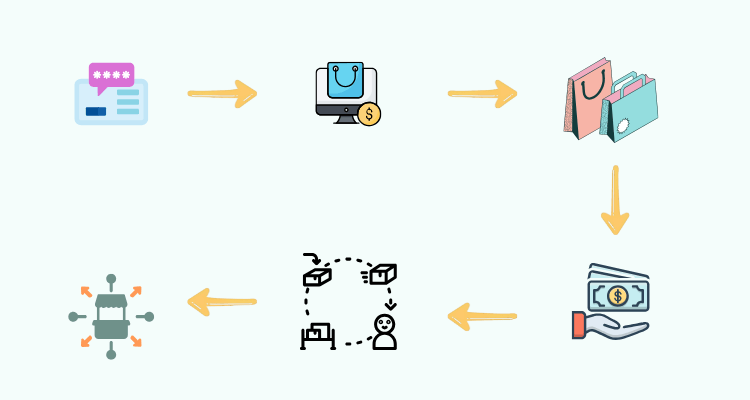
You can follow: Find reliable suppliers > Import products to your store > Automate order fulfillment > Optimize and scale.
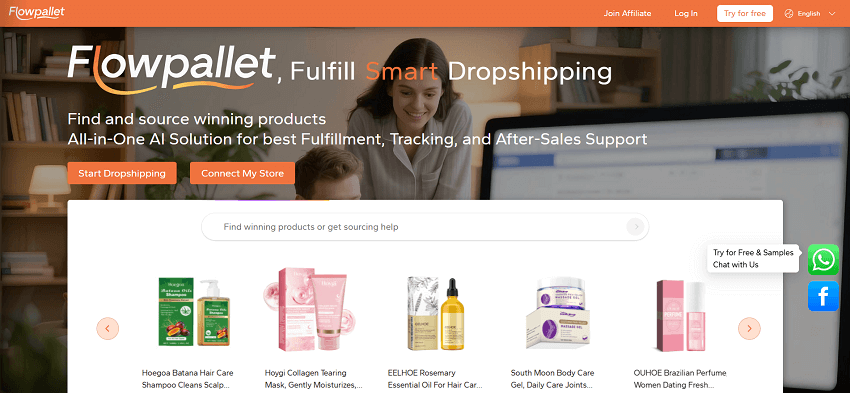
This is where Flowpallet becomes a strong advantage. Flowpallet simplifies the backend of your Shopify business by handling all sourcing and fulfillment efficiently for you.
Key benefits include:
- Reliable product sourcing across multiple categories
- Automated pick and pack fulfillment, reducing manual work
- Quality control, helping avoid customer complaints
- Scalability, so you can handle more orders without stress
- 3PL logistics, white-label products, or POD services if you need
Instead of managing multiple suppliers and logistics yourself, Flowpallet centralizes everything, allowing you to focus on marketing and growth. Try it, you'll have $10 off then~
Conclusion
Selling on Shopify is one of the most accessible ways to start an online business today. You don't need a huge budget or technical background, just the right approach and a willingness to learn.
If you're just getting started, keep it simple:
- Focus on one clear niche instead of trying to sell everything
- Test products quickly and consistently
- Use tools like Flowpallet to simplify sourcing and fulfillment
The most important step is simply getting started and learning along the way. Best wishes~
